LogicalDOC is integrated Dropbox and allows you to export and import documents and folders between both applications.
-
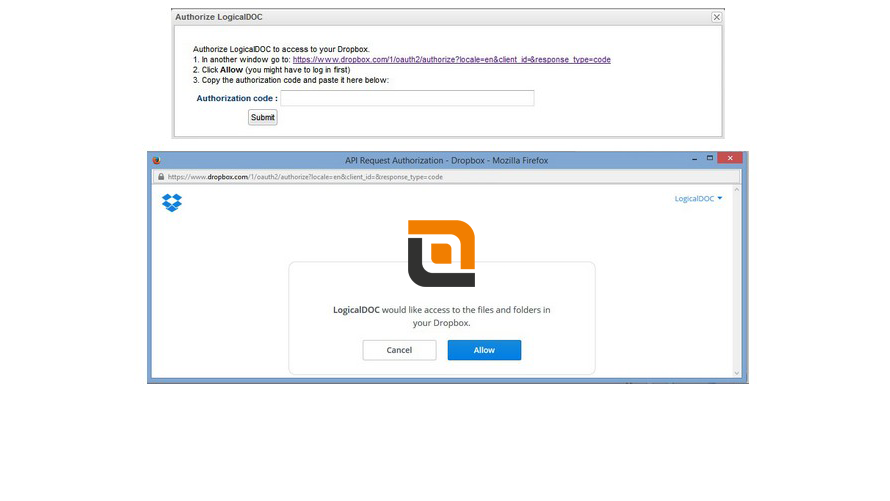
Secure Dropbox Authorization
Authorize LogicalDOC to access Dropbox using a secure OAuth connection.
No passwords are stored and access can be revoked at any time.
-
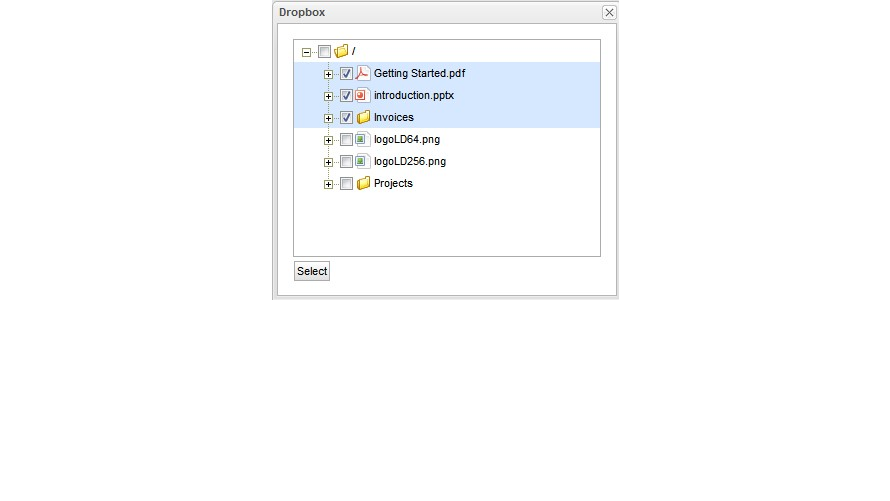
Browse Dropbox from LogicalDOC
Navigate folders and files stored in Dropbox directly from the LogicalDOC interface without switching applications.
-
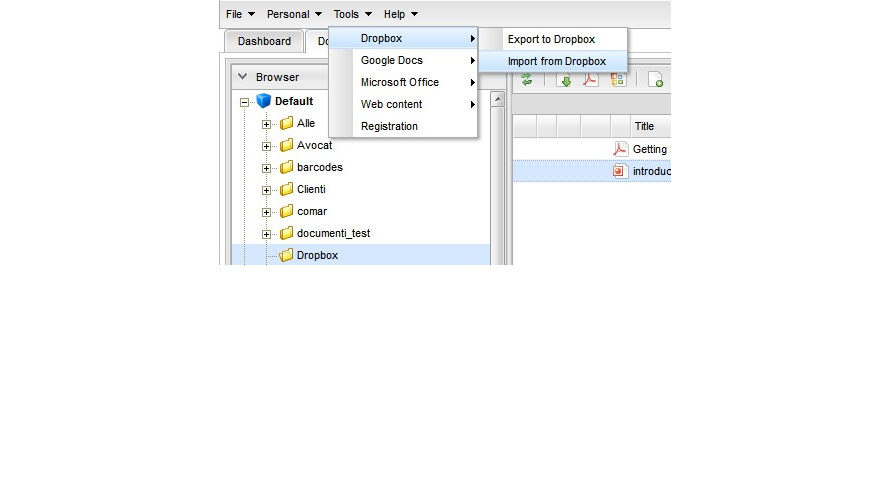
Import Files from Dropbox
Select documents and folders from Dropbox and import them into LogicalDOC while maintaining full document control.
-
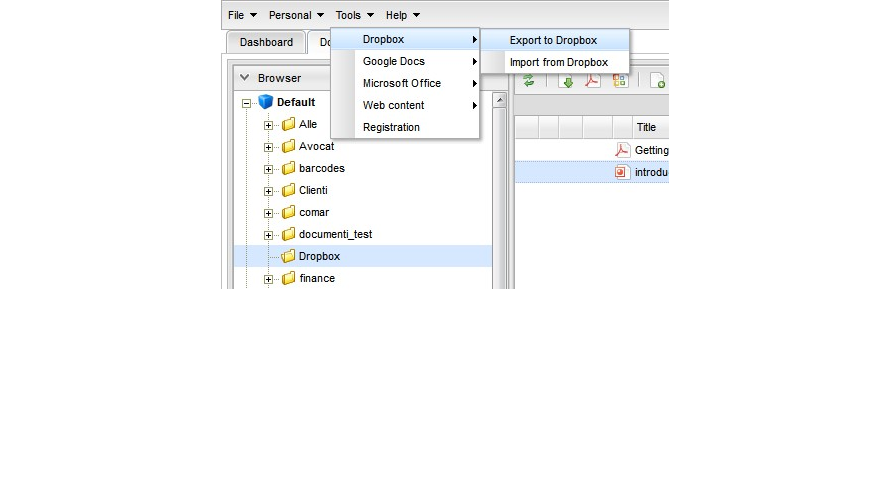
Export Documents to Dropbox
Export documents from LogicalDOC to Dropbox with a single click for easy sharing and external collaboration.
Benefits of this feature
- Ability to exchange contents between LogicalDOC and your Dropbox account
Feature details
- Export documents into your Dropbox account
- Export folders into your Dropbox account
- Import documents from your Dropbox account
- Import folders into your Dropbox account
Additional Resources


