

LogicalDOC Document Management Platform
LogicalDOC is DMS software that keeps all your company documents in one secure, searchable place. It manages the whole document lifecycle: from capture and approval to sharing, retention and archiving.
Teams use LogicalDOC to stop searching through shared drives and email attachments. Every file gets its own versions, permissions, deadlines and history. You decide where it runs: on your own servers, in the cloud or in a hybrid setup.
Key document management software features
These are the features our customers rely on every day. For the full list by edition, see the feature comparison matrix.
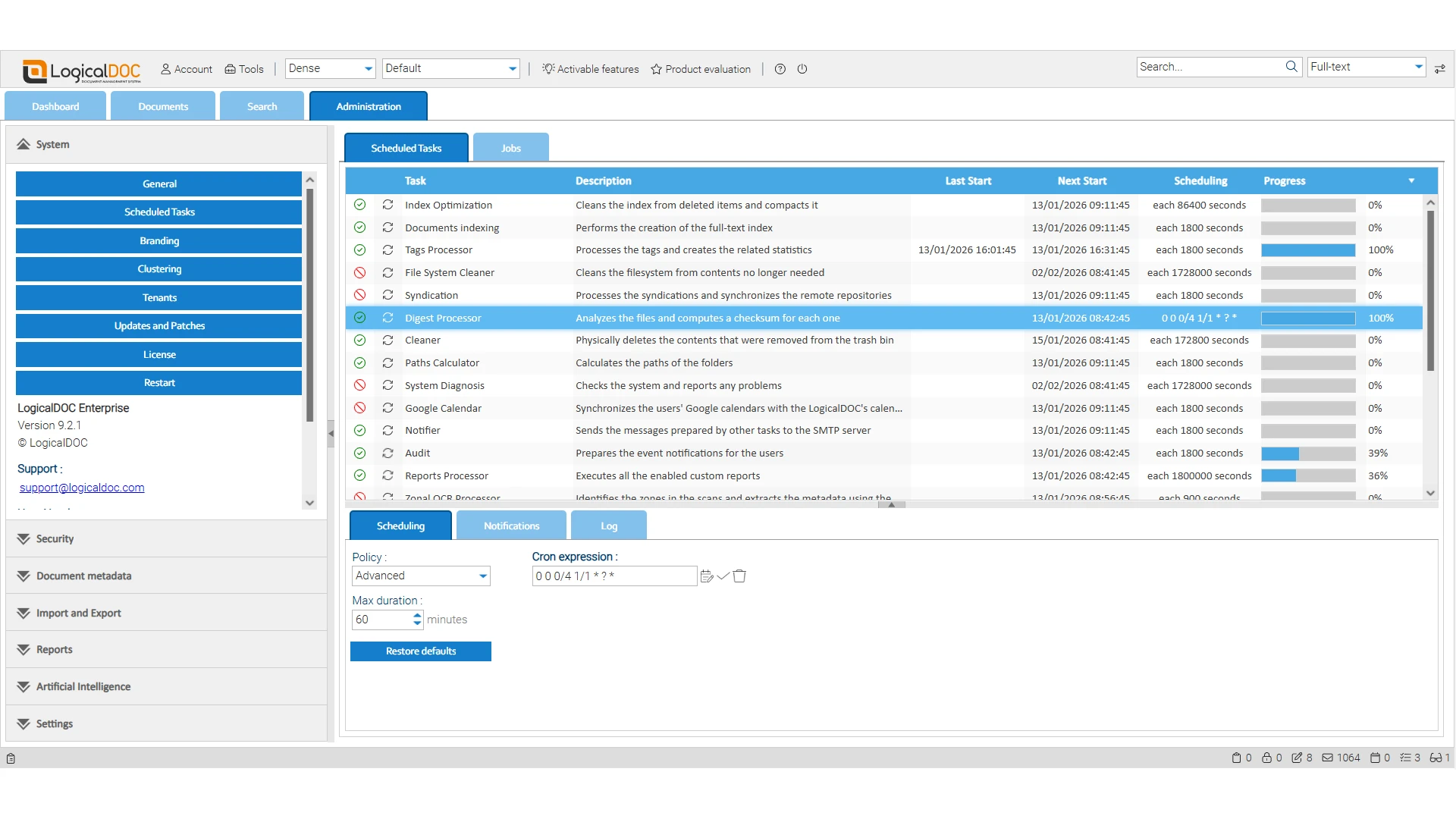
Deadlines, retention and document lifecycle
Every document can carry its own deadlines. Expiring certificates, contracts and quality documents trigger automatic notifications well in advance.
Retention policies define how long each type of document must be kept. When the period ends, LogicalDOC can archive or delete documents automatically. This makes records management and long-term archiving predictable instead of manual.
- Integrated calendar with document-related events
- Automatic reminders before a document expires
- Retention policies by folder or document type
Secure sharing and access control
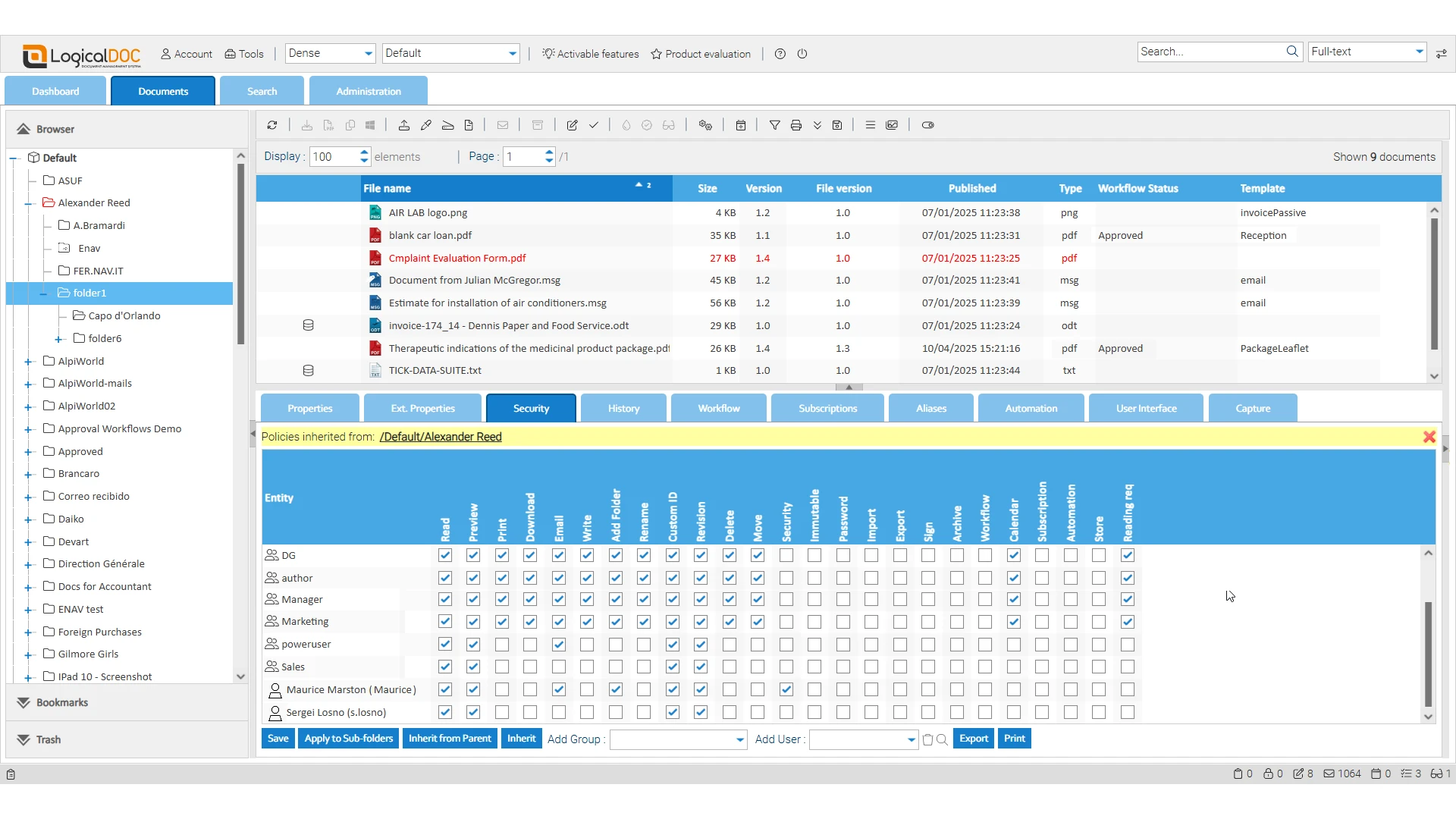
Granular permissions decide who can view, edit, download or delete each folder and document. Permissions can be inherited from parent folders, so access control stays consistent as the repository grows.
You can share files with colleagues, partners and customers by email or through secure download tickets. Event subscriptions notify users in real time whenever a document they follow changes.
- Folder and document permissions with inheritance
- Download tickets for external recipients
- Two-factor authentication (Enterprise and Cloud) and SAML 2.0 single sign-on (Enterprise)
Audit trail and regulatory compliance
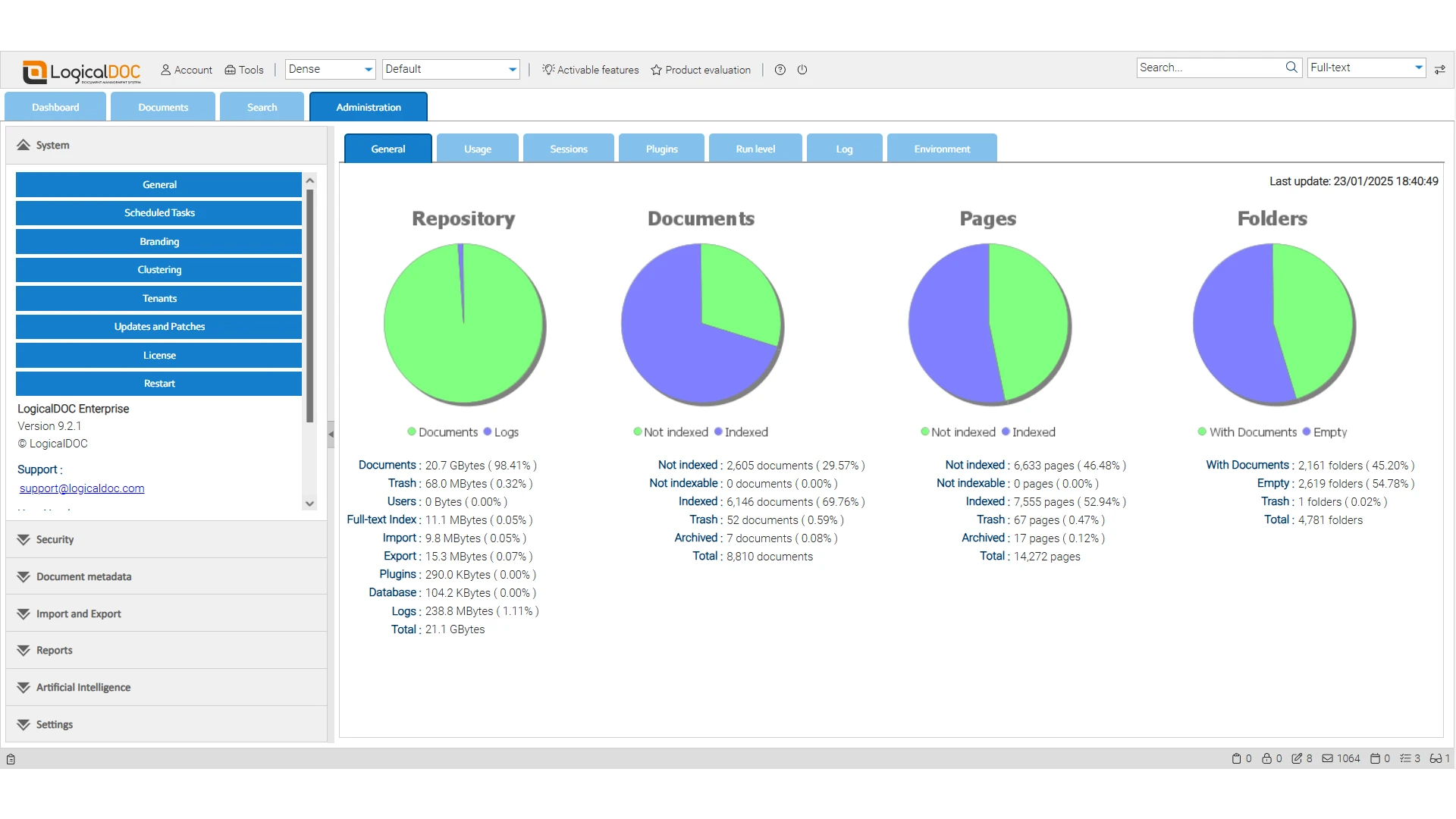
LogicalDOC records every action on your documents: who viewed, changed, downloaded or deleted what, and when.
Reports and statistics dashboards turn this history into clear evidence for audits, certifications and regulatory compliance. When an inspection comes, the documentation you need is a few clicks away.
Version control
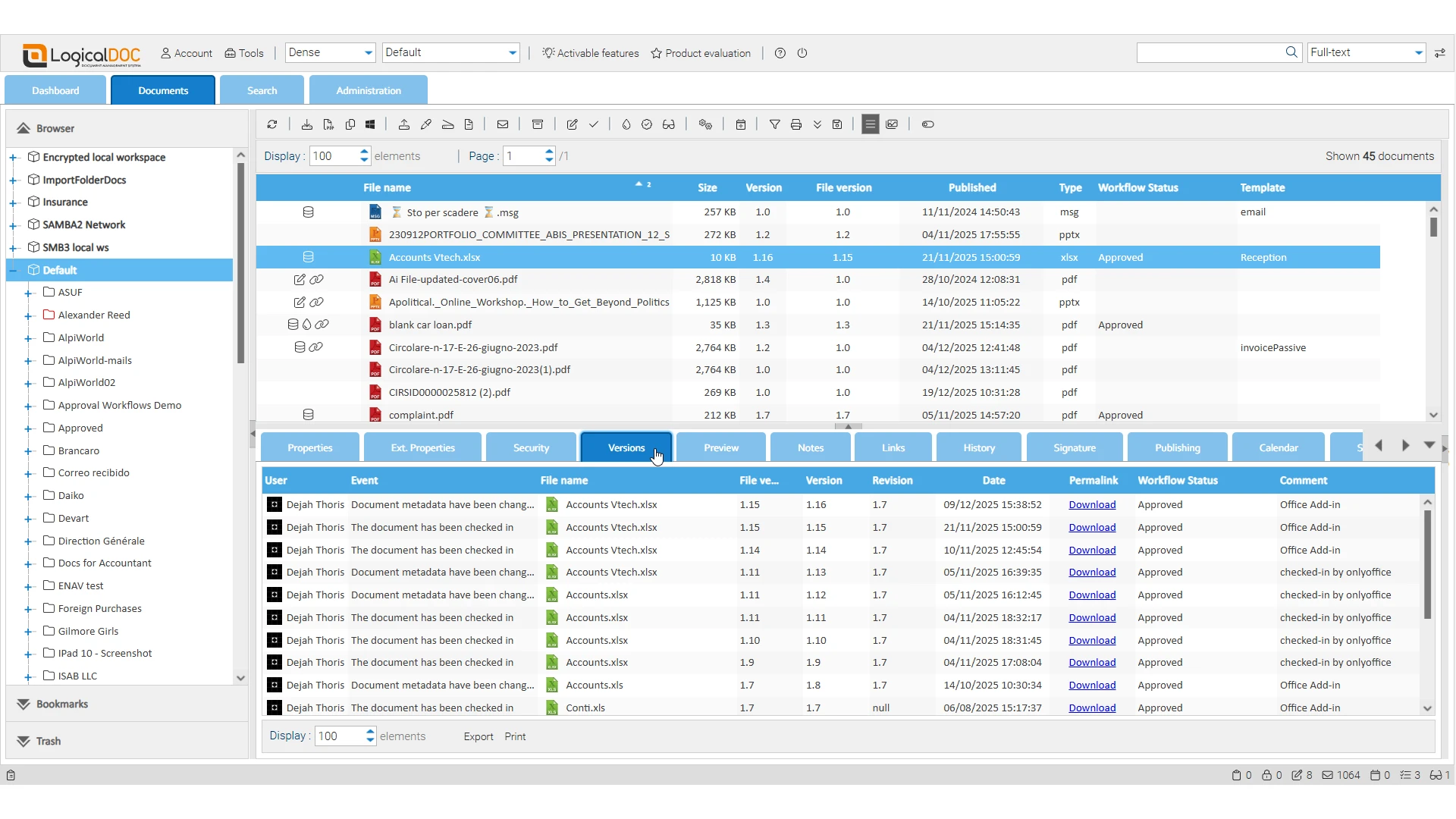
Every update creates a new version and keeps the previous ones. Check-in and check-out prevent two people from overwriting each other's changes.
You can compare versions, restore an earlier one and preview documents in the browser without downloading them.
Search, OCR and document retrieval
Full-text search looks inside document contents, metadata and tags. OCR makes scanned papers searchable, and Zonal OCR templates read data from fixed areas of a document to fill its metadata. Fast document retrieval means less time spent looking for files.
Workflow automation
Graphical workflows route documents for review and approval. Tasks, assignees and notifications are handled automatically. These workflow automations replace email chains with a traceable process. Learn more about workflows.
Built-in AI
AI fillers extract metadata from scanned documents, and a zero-shot model tags documents automatically. The AI summariser uses built-in models, so your documents never leave LogicalDOC.
On-premise, cloud or hybrid
The same document management platform runs wherever your data needs to live.
On-premise
Install LogicalDOC on your own Windows or Linux servers, or in a Docker container (also on macOS and Synology/QNAP NAS). Your documents stay inside your network. On-premise DMS
LogicalDOC Cloud
A cloud-based service with nothing to install or maintain. Data is kept in secure storage on Amazon S3 and backed up automatically every day. Cloud DMS
Hybrid cloud
Keep sensitive archives on-premise and use the cloud for the rest, with one consistent way of working. Hybrid cloud
Users can also work from their phone with the LogicalDOC mobile app.
Integrations
LogicalDOC integrates with Microsoft 365 (Word, Excel, PowerPoint, Outlook, Visio and Project): you can open, save and archive files and emails without leaving the applications you already use.
For other systems, LogicalDOC offers REST and SOAP web services, WebDAV and CMIS. These standard interfaces let you connect the DMS to your existing software without invasive changes.
Who uses LogicalDOC
LogicalDOC is a general-purpose document management platform, configured by each customer around its own processes. Typical uses include:
- Technical offices managing drawings, manuals and revisions
- Research and development labs that need version control and IP protection
- Healthcare organisations handling sensitive records under privacy rules
- Law firms organising case files and contracts
- Construction companies filing project and site documents
- Universities and colleges managing academic and administrative paperwork
- Any office going paperless and replacing paper archives
Read how real companies put it to work in our case studies.
Editions
| Edition | For whom |
|---|---|
| Community | Free and open source, for individuals and small teams who want to get started. |
| Business | For small and medium-sized companies that need professional features and support. |
| Enterprise | For larger organisations with advanced security, scalability and compliance needs. |
| Cloud | LogicalDOC as a managed service, with no servers to run. |
Compare what each edition includes in the comparison matrix, or request a quote.
Frequently asked questions
- Can LogicalDOC be installed on-premise or used in the cloud?
Both. You can install LogicalDOC on your own servers, run it in Docker, use the managed LogicalDOC Cloud service or combine them in a hybrid setup.
- Is there an open-source version of LogicalDOC?
Yes. LogicalDOC Community Edition is free and open source. The Business, Enterprise and Cloud editions add professional features and support.
- Does LogicalDOC keep the version history of documents?
Yes. Every change creates a new version and earlier versions are kept, so you can compare them or restore a previous one at any time.
- How does LogicalDOC help with audits and compliance?
The audit trail records who did what on each document and when. Retention policies, permissions and reports provide the evidence auditors and certification bodies ask for.
- Does LogicalDOC use AI, and do my documents leave the system?
LogicalDOC includes AI features for metadata extraction, automatic tagging and summarisation. The summariser uses built-in models, so documents are not sent to external AI services.
- Can LogicalDOC integrate with Microsoft 365 and other business systems?
Yes. It works with Word, Excel, PowerPoint, Outlook, Visio and Project, and connects to other software through REST and SOAP web services, WebDAV and CMIS.
See LogicalDOC with your own documents
Try it free for 30 days or let us show you the platform in a live demo.
Free trial Book a demo